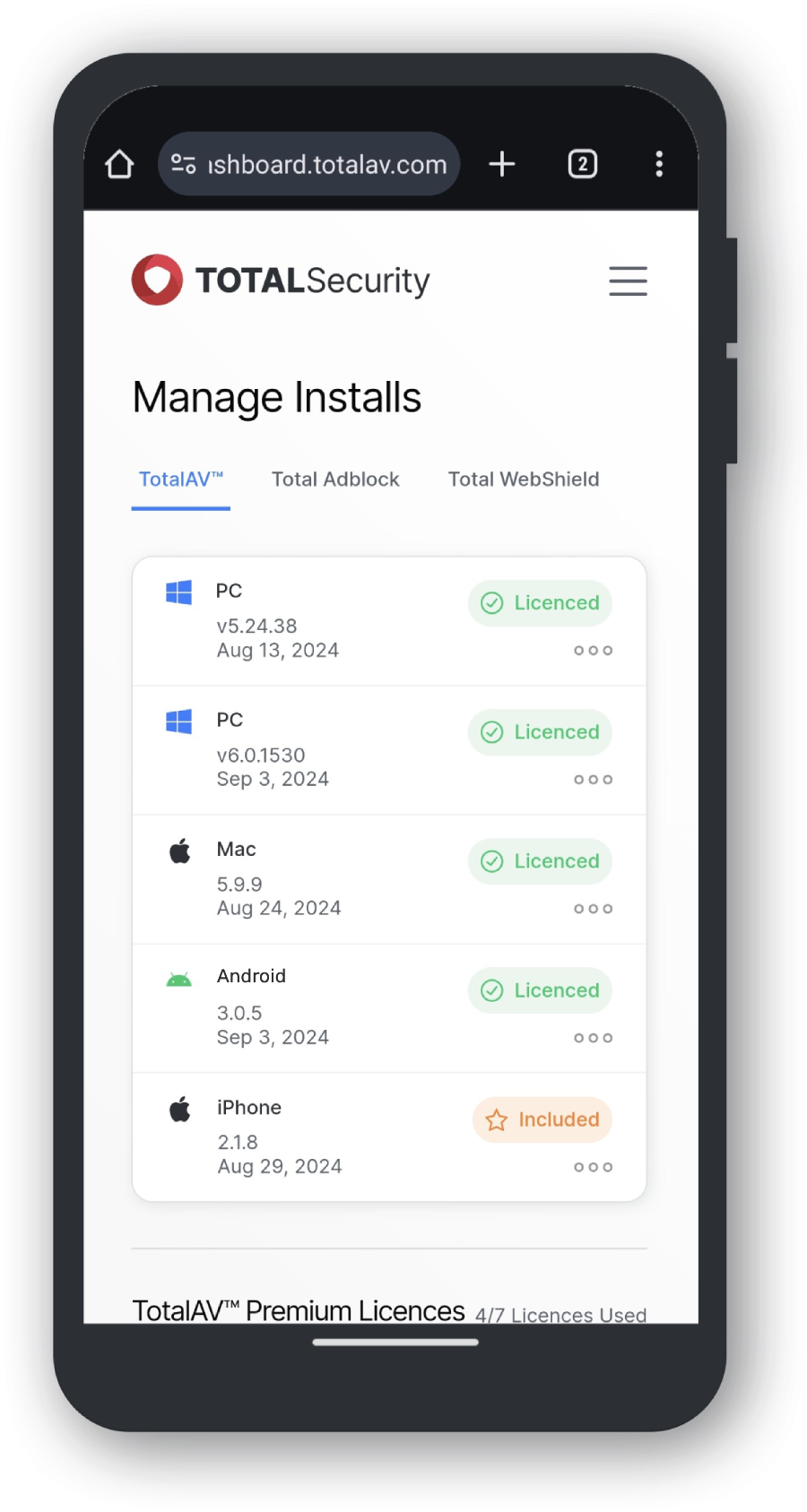
Adding Licenses
Navigate to Buy Licenses
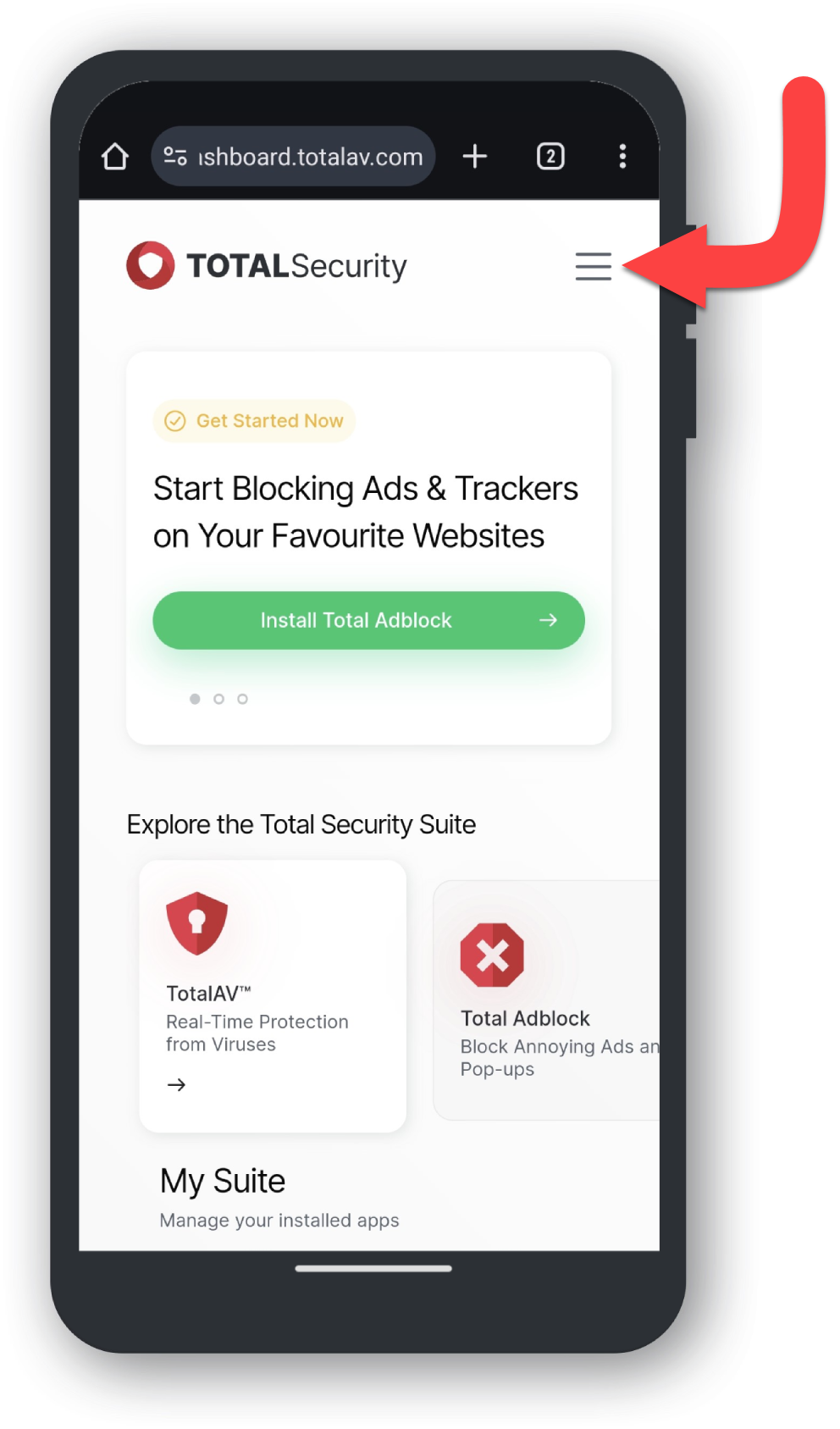
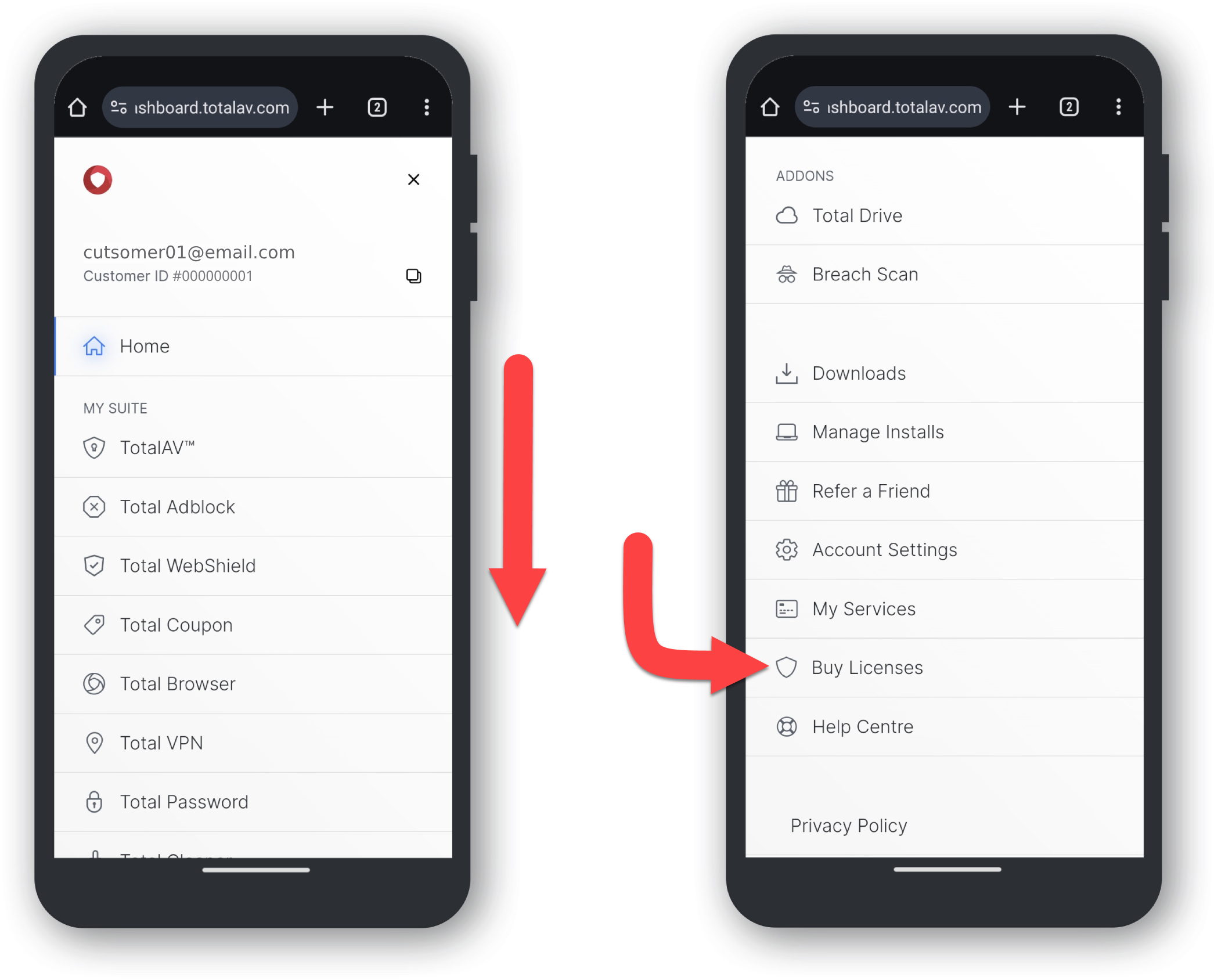
Once the product is installed, go to the top right of the Online Portal and click on your account email to bring up the window below.
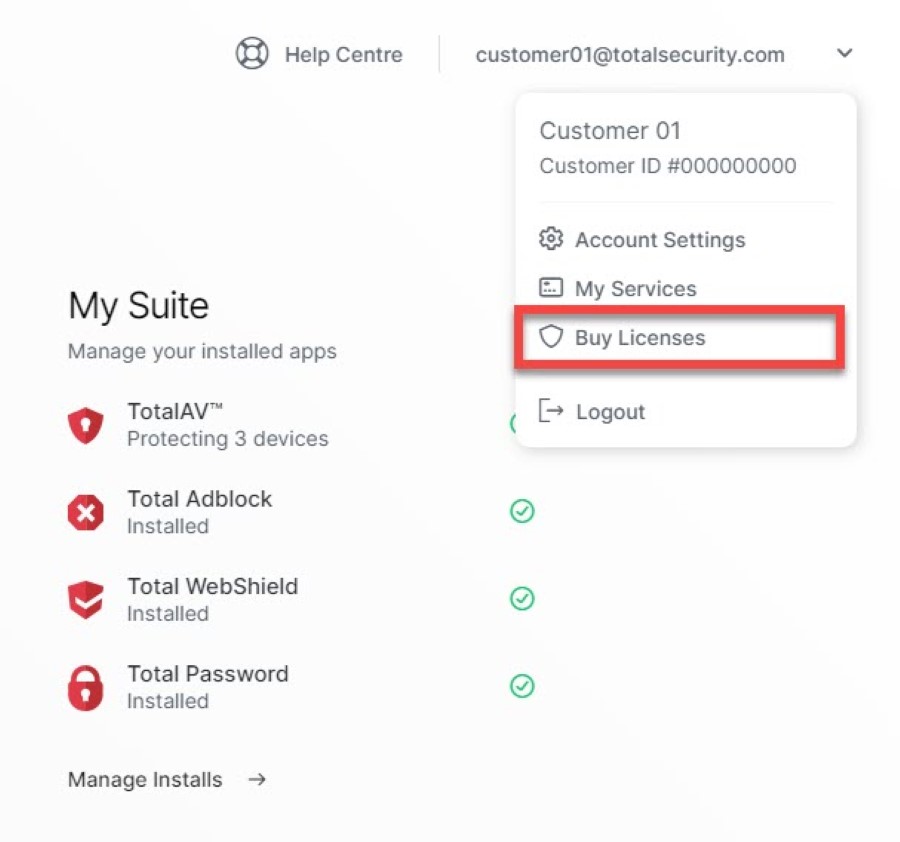
Then Click on Buy Licenses to get started in adding more devices to your account.
Purchase Licenses
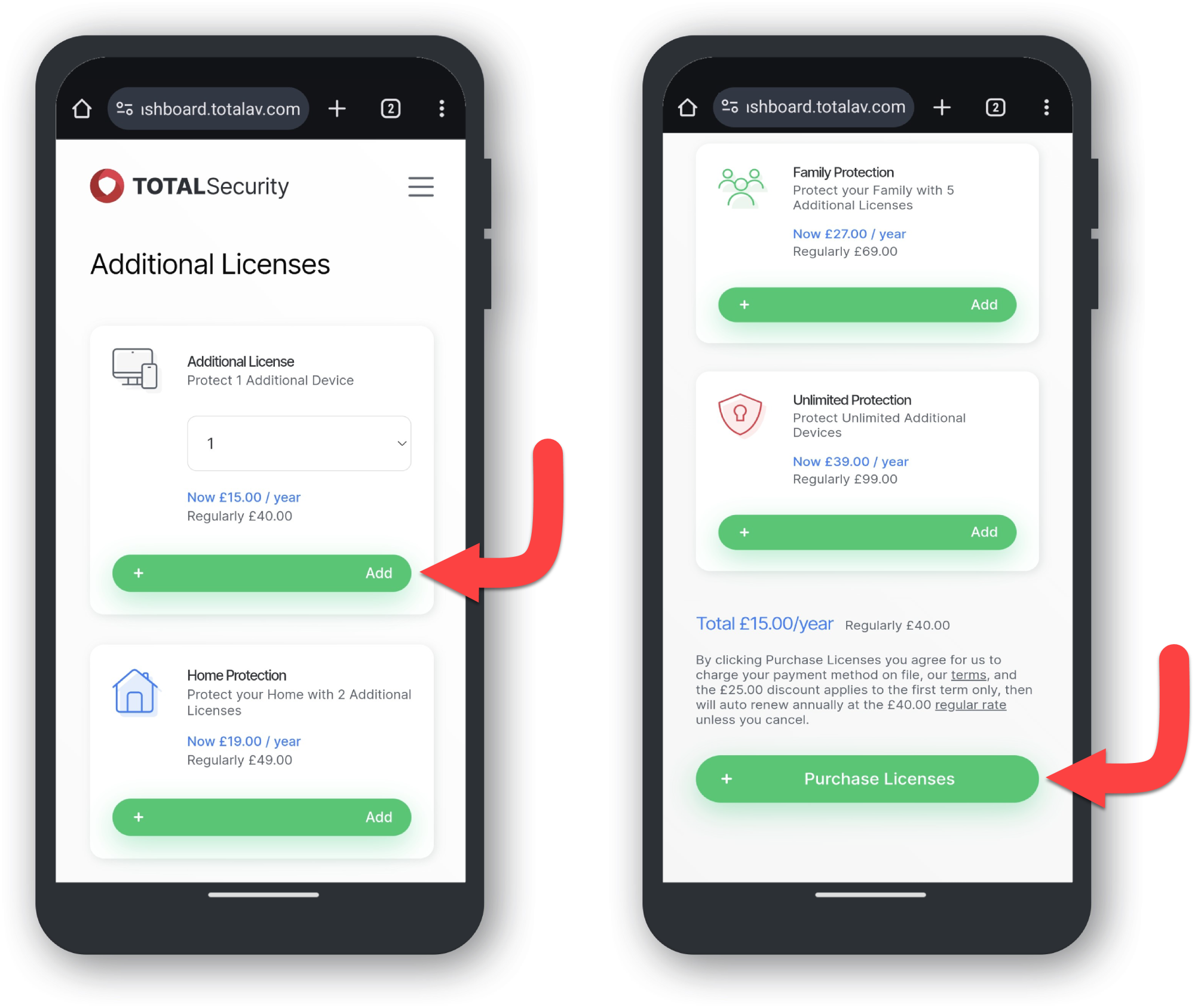
By clicking Buy Licenses it will take you to below:
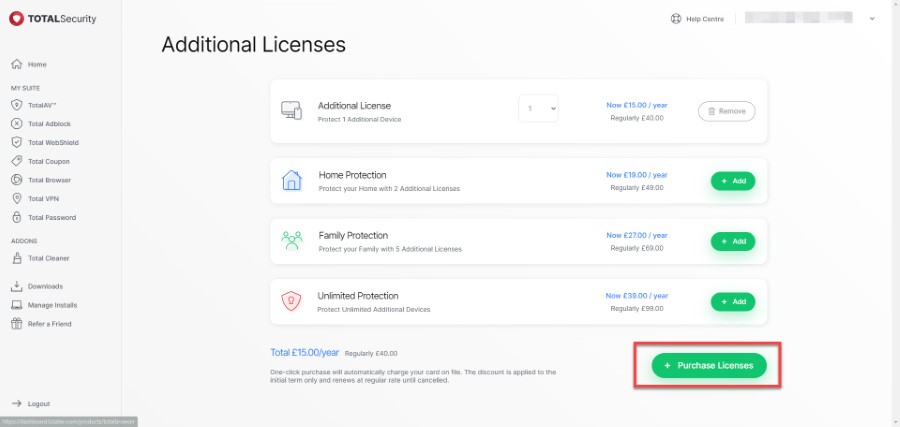
From here, add however many licenses you need for the extra devices and click + Purchase Licenses.
This will be a direct purchase, so make sure to purchase the correct amount of licenses for your devices.
Successful Purchase
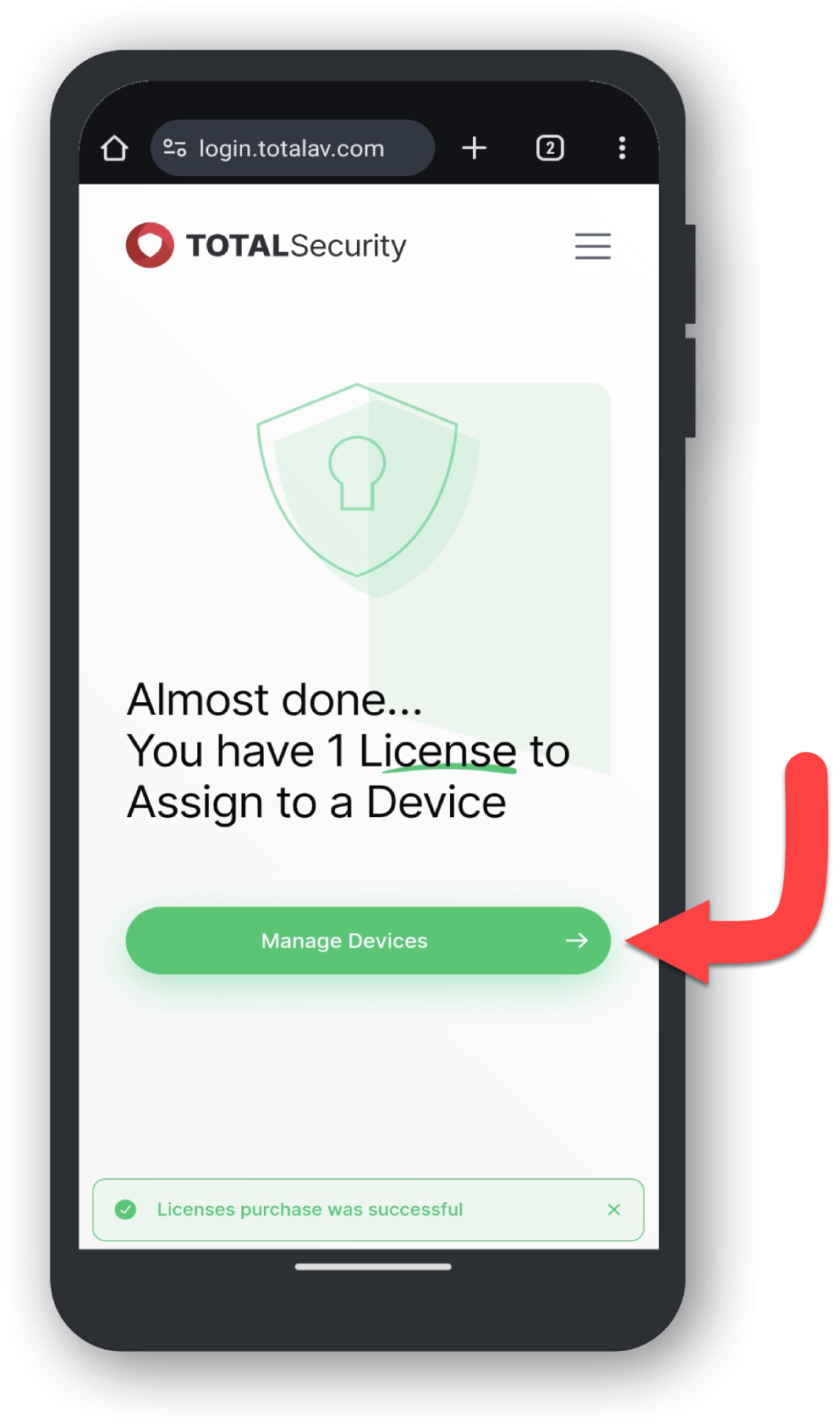
A confirmation window will appear, along with a confirmation email of your newly purchased licenses!
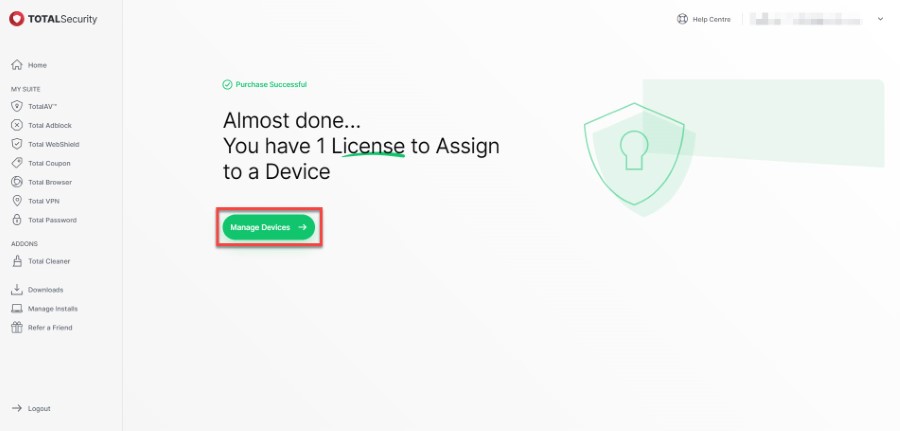
From here, click on Manage Devices and see the Online Portal to take a look at your managed devices.
For guidance on how to manage your device(s), see our Manage Devices guide.
We highly recommend adding all the devices you’d want anti-virus protection for, as your device could be exposed to harmful malware or viruses in the future.