Revoking a License
Remove
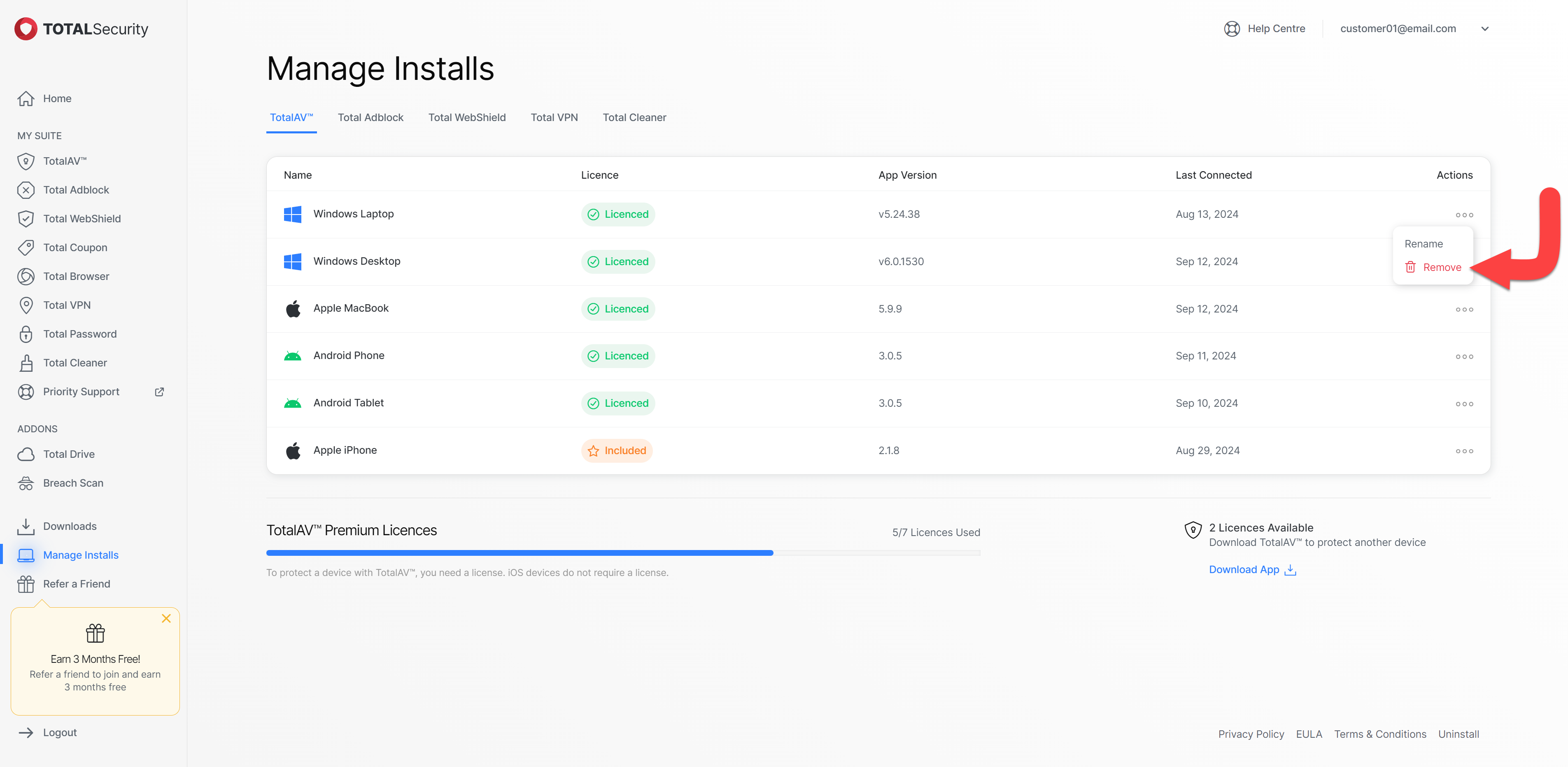
Click on the three dots under the actions tab and select the remove button.
Confirm
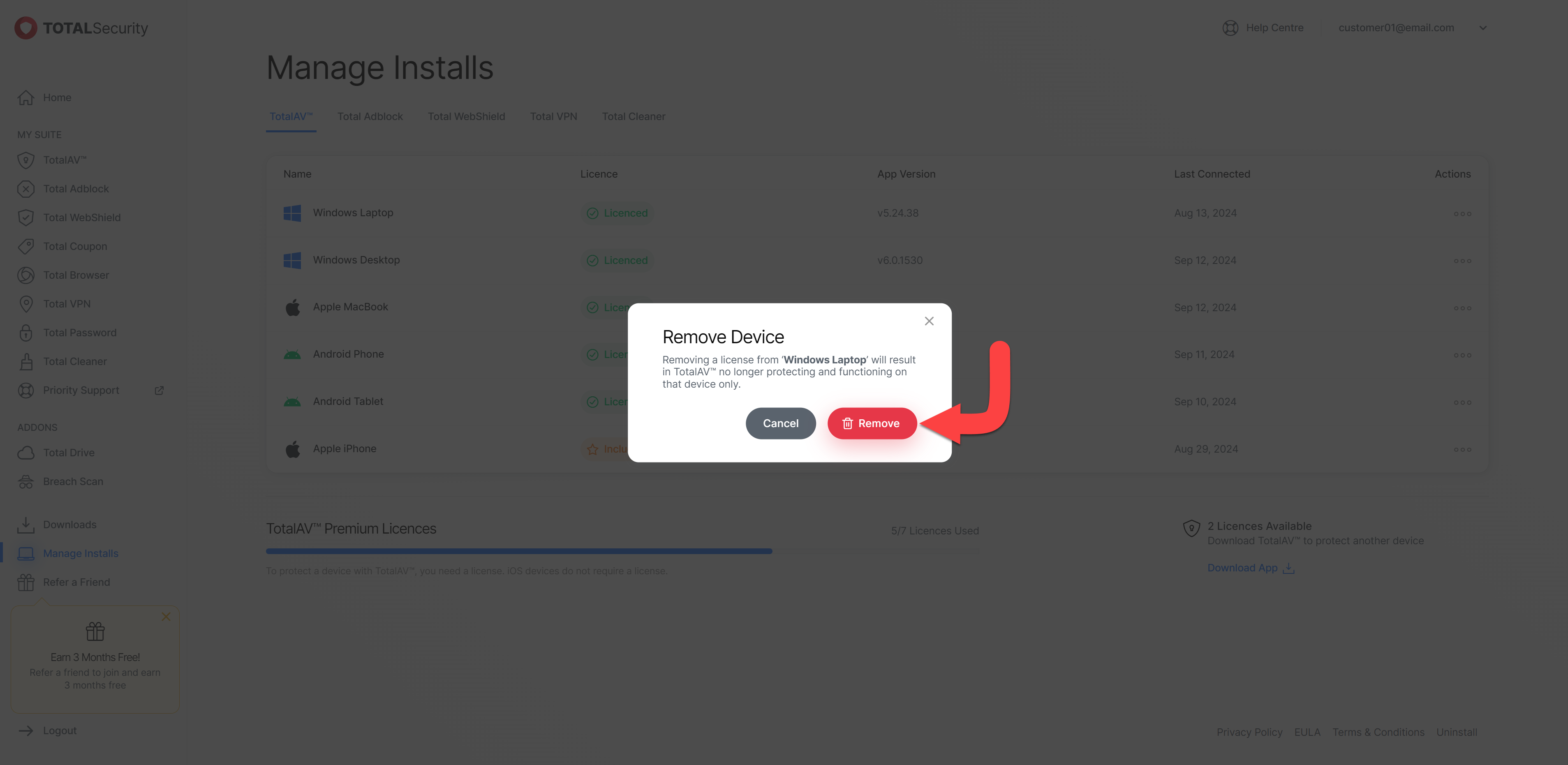
Click on the remove button to confirm this is the device that you’d like to remove a license from.
Successful Removal
The pop-up will appear at the bottom of the dashboard saying Device Removed Successfully.
Device Removed
In the image below, the device you have removed the licensing from will become unlicensed and will no longer have premium access to your TotalAV application.
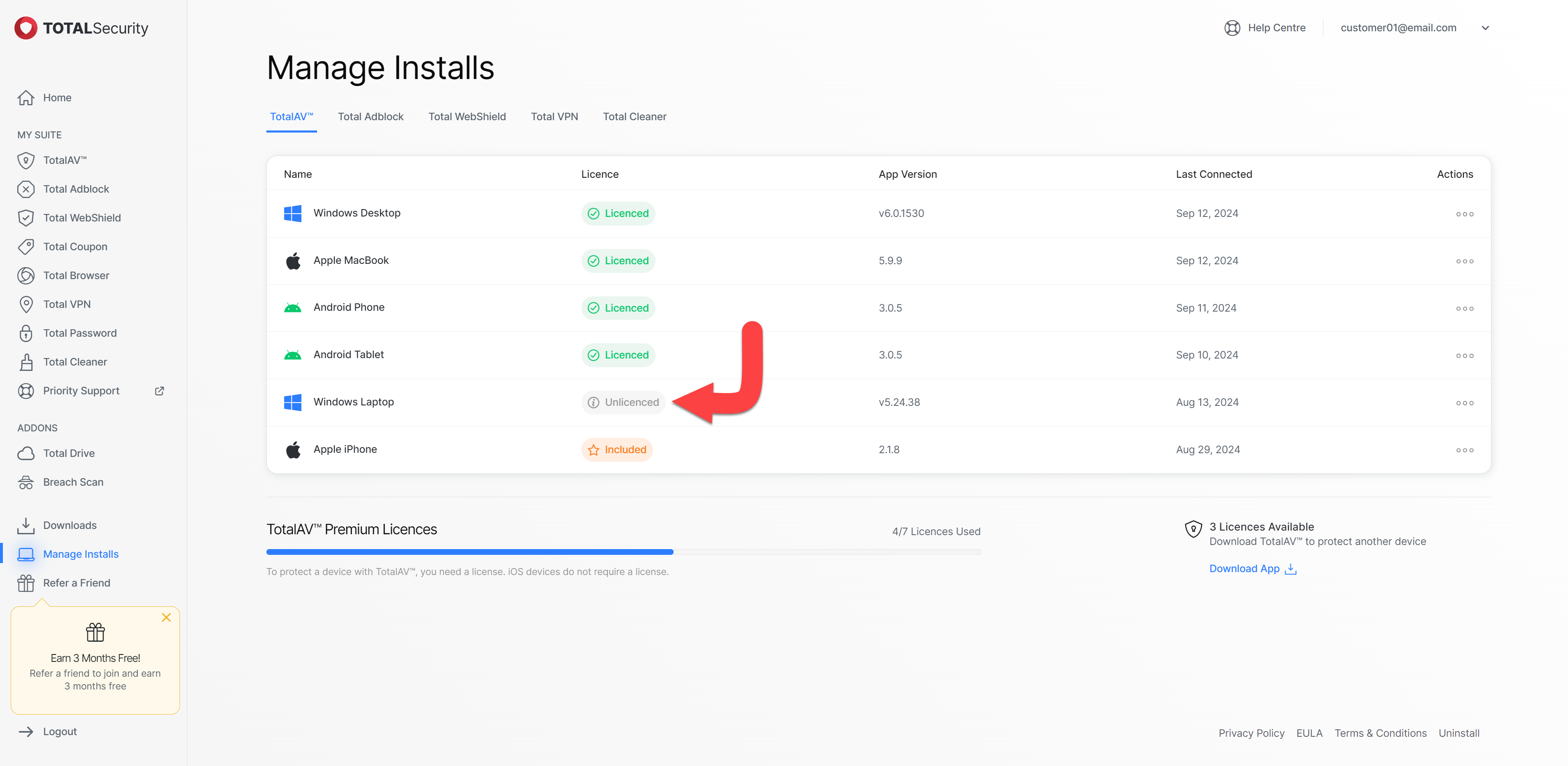
The action of removing licensing from a device will remove it from your subscription. Should you wish to re-add that device back onto your subscription, simply reinstall and log back into the TotalAV application.
The process outlined above applies to Total Adblock, Total WebShield, and Total VPN as well.